Welcome to the FreeConvert3D Knowledge Base and Tutorial Guide. This platform provides client-side, zero-install 3D generation, inspection, and format conversion tools engineered specifically for 3D printing enthusiasts, industrial engineers, CAD technicians, and digital makers.
Unlike traditional cloud converters that upload your proprietary engineering assets to remote servers, queue conversions behind artificial waitlists, or bombard your screen with intrusive banner ads, FreeConvert3D operates 100% locally in your web browser memory using WebAssembly and WebGL shaders.
4 Core Workspaces in FreeConvert3D
The platform is divided into four dedicated, highly optimized browser toolsets:
``` [FreeConvert3D Universal Workspace] ├── 1. 2D Image to 3D STL ──► Bas-Reliefs, Lithophanes, and Clay Stamps ├── 2. 3D Converter & Viewer ──► Cross-Convert STL, OBJ, PLY, and GLTF with Live Mesh Diagnostics ├── 3. 3D QR Code Maker ──► Parametric Dual-Color Wi-Fi Tags, Badges, and Keychains └── 4. Cookie Cutter Maker ──► Turn 2D Vector Silhouettes into Sliced Baking Molds ```
| Workspace Tool | Primary Input Formats | Primary Output | Typical Practical Application |
|---|---|---|---|
| 2D Image to STL | PNG, JPG, WebP, BMP | Watertight Binary STL | Custom photo medallions, commemorative lithophanes, ceramic stamps |
| 3D File Converter | STL, OBJ, PLY, GLTF, 3MF | STL, OBJ, PLY | Slicer preparation, mesh decimation, scale verification |
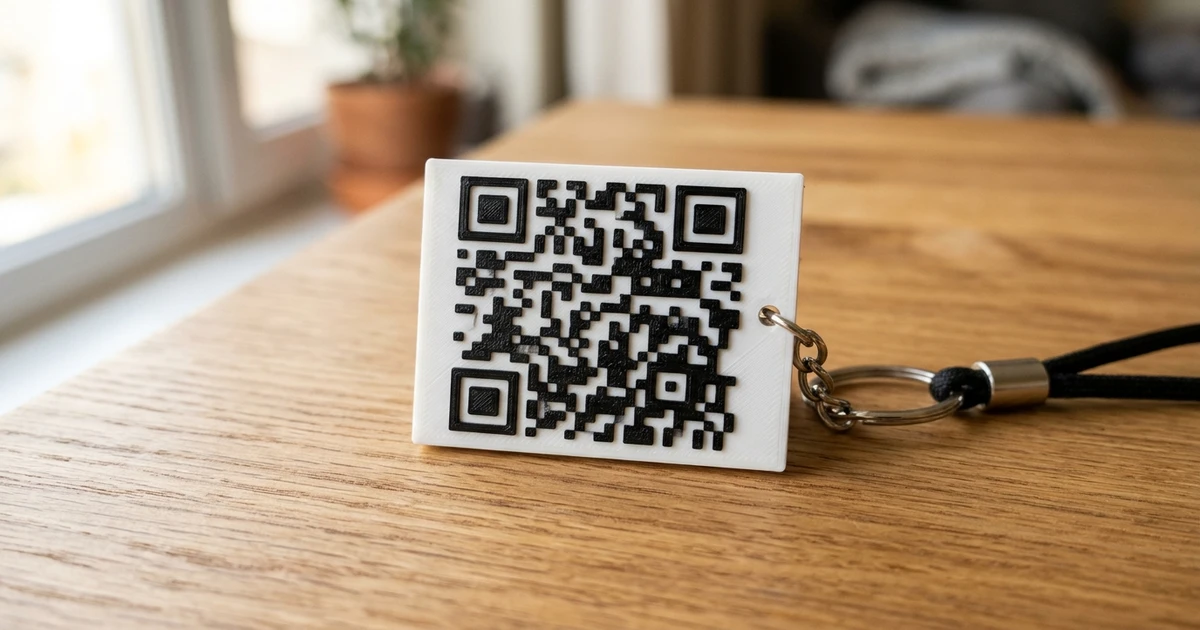
| 3D QR Code Maker | Web URLs, Wi-Fi strings | 3D Printable STL | Dual-color keychains, contactless smart desk cards |
| Cookie Cutter Maker | PNG, SVG Line Art | STL with Press Flange | Custom holiday baking cutters, clay and pottery stamps |
Quickstart Tutorial: From 2D Image to 3D Print
Here is how you can generate your first 3D printable STL in under 60 seconds:
- Access the Tool: Navigate directly to the FreeConvert3D Homepage or switch to the 2D Image to STL Tab.
- Upload Your Graphic: Drag and drop your photo, brand logo, or drawing into the dashed drop zone.
- Choose Your Generation Mode:
- Relief: White pixels extrude upward; dark tones form the recessed base.
- Lithophane: Inverts pixel depths so dark areas print thicker to block backlight.
- Stamp: Extrudes high-contrast borders for pottery or clay embossing.
- Calibrate Dimensions:
- Set Model Width to your desired physical size (e.g. `80.0 mm`).
- Set Base Thickness (typically `1.2 mm` to `2.0 mm`).
- Set Relief Height (typically `2.0 mm` to `4.0 mm`).
- Inspect in Real-Time 3D: Rotate, zoom, and inspect surface contours using the Three.js viewport. Toggle material modes (Clay, Dark Titanium, or Wireframe) to inspect triangle distribution.
- Export Binary STL: Click Export STL to download your watertight mesh ready for your slicing software (Bambu Studio, PrusaSlicer, or Ultimaker Cura).
Technical Standards: Why Client-Side Processing Matters
| Feature Dimension | Legacy Cloud Converters | FreeConvert3D In-Browser Studio |
|---|---|---|
| File Privacy and Security | Files transmitted and stored on cloud servers | 100% Client-Side Memory (Zero Network Uploads) |
| Wait Queues & Throttling | Artificial wait times to upsell paid tiers | Instant Processing via Local GPU / WebAssembly |
| File Size Limits | Often capped at 10 MB or 25 MB | Handles 100MB+ meshes limited only by local RAM |
| Intrusive Advertisements | Heavy pop-up ads and redirection banners | Clean, distraction-free modern UI |
| Licensing and Cost | Monthly subscription fees for batch exports | 100% Free and Unrestricted |
Recommended Next Steps and Deep-Dive Guides
To master specific 3D file formats, industrial CAD workflows, and slicing techniques, explore our dedicated technical articles:
- CAD and Industrial Solids: STEP to STL and STL to STEP Reverse Engineering
- Multi-Color and Multi-Part Printing: 3MF to STL Guide
- Vector and Brand Assets: PNG to STL and SVG to STL
- Mesh Diagnostics & Repair: Online STL Viewer, Mesh Decimation, and Fixing Non-Manifold STLs
- Specialty Fabrications: 3D Printed Lithophanes, Cookie Cutter Design, and Scannable 3D QR Codes