PLY to SOG: Compressing 3D Gaussians by 95% for WebGPU Streaming
Convert raw 3D Gaussian Splatting PLY point clouds into PlayCanvas SOG (Spatially Ordered Gaussians). Achieve 95% file size reduction with WebGPU streaming.
Expert guides on image to 3D mesh conversion, CAD format interoperability, lithophanes, and error-free 3D printing.
Convert raw 3D Gaussian Splatting PLY point clouds into PlayCanvas SOG (Spatially Ordered Gaussians). Achieve 95% file size reduction with WebGPU streaming.
Convert heavy 3D Gaussian Splatting PLY files into compact, web-ready .splat format directly in your browser. 100% private in-memory processing.
Convert 3D Gaussian Splatting PLY files to the open-source Niantic SPZ format. Achieve 10x lossless compression in browser memory.
Convert compressed PlayCanvas SOG files back into standard 3D Gaussian Splatting PLY point clouds for offline training, Blender, and research pipelines.
Convert PlayCanvas SOG format into standard linear .splat files for Three.js, Babylon.js, and legacy Gaussian Splatting viewers.
Convert PlayCanvas SOG 3D Gaussian files into Niantic Scaniverse .spz format. Seamless cross-platform Gaussian Splatting format interoperability.
Convert lightweight .splat files back into standard 3D Gaussian Splatting PLY point clouds for Blender, Unity, and desktop research pipelines.
Convert 32-byte .splat files into PlayCanvas SOG format for 95% storage reduction, progressive level-of-detail streaming, and WebGPU rendering.
Convert raw 32-byte .splat files into compressed Niantic SPZ containers. Reduce file sizes by an additional 70% for mobile WebAR apps.
Convert Niantic Scaniverse .spz files back into standard 3D Gaussian Splatting PLY point clouds for Blender, Nerfstudio, and Unreal Engine.
Convert Niantic Scaniverse .spz files into PlayCanvas SOG format for ultra-fast multi-LOD WebGPU streaming and editing in SuperSplat.
Convert compressed Scaniverse SPZ files directly into raw 32-byte .splat format for Three.js, Babylon.js, and custom WebGL Gaussian Splatting shaders.
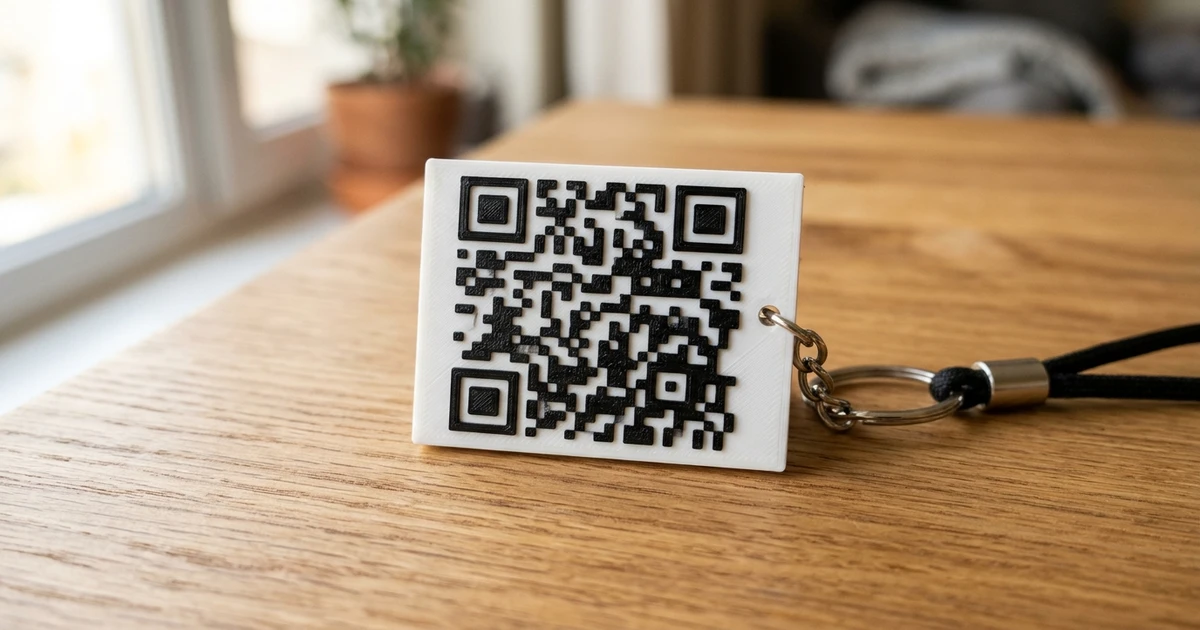
Generate and 3D print scannable QR codes for Wi-Fi tags, business cards, and keychains. Master contrast ratios, module step height, and M600 filament swaps.
View and inspect 3MF files directly in your web browser. Check multi-part assemblies, color assignments, watertight volume shells, and print envelope.
Convert native Blender .blend project files into universal FBX, OBJ, and STL formats without installing Blender. Extract meshes, materials, and rigs.
Design custom 3D printed cookie cutters from line art. Master cutting blade taper, handle flanges, food contact plastics, and dishwasher sanitation.
Convert AutoCAD DWG and DXF technical drawings and architectural floor plans into 3D printable STL models. Close polyline loops and calibrate extrusion scale.
Open and preview Autodesk FBX models in your browser. Inspect node hierarchy, polygon density, bounding dimensions, and multi-mesh game assets.
Repair broken STL meshes for 3D printing. Fix non-manifold edges, close holes, remove self-intersecting faces, and recalculate flipped normal vectors.
Understand the reality of converting 3G-code toolpaths back into 3D STL meshes. Learn toolpath reconstruction limits, voxel remeshing, and recovery steps.
Inspect GLB and glTF 3D models directly in your browser with realistic PBR lighting, HDR reflections, wireframe views, and millimeter bounding box inspection.
Free online OBJ viewer with zero software installation. Analyze polygonal meshes, vertex normal directions, material groups, and physical dimensions.
Free online PLY file viewer for 3D scanner output and photogrammetry meshes. Inspect point clouds, surface facets, vertex colors, and spatial bounding boxes.
Convert 2D grayscale heightmaps, GIS elevation data, and DEM files into solid 3D printable STL terrain models. Calibrate base elevation and vertical exaggeration.
Reduce gigantic 100MB+ STL file sizes by up to 90% without losing visual detail. Learn Quadratic Error Metrics (QEM) decimation and ASCII to binary compression.
Convert STL files to Wavefront OBJ format for sculpting, UV texturing, and quad retopology in Blender and Maya. Fix triangulated mesh topology.
Inspect 3D STL models directly in your browser. Measure bounding box dimensions, analyze polygon counts, detect non-manifold holes, and inspect normals.
Convert SVG vector graphics and bezier paths into clean 3D STL meshes. Eliminate pixel stair-stepping, resolve self-intersecting curves, and extrude logos.
Convert Autodesk FBX models into universal Wavefront OBJ format. Strip unwanted armature rigs, extract embedded PBR textures, and ensure clean geometry.
Convert GLB and glTF 2.0 files into Autodesk FBX format for Unreal Engine, Unity, and Maya. Retain PBR materials, skeletal rigs, and embedded textures.
Master 3D printed lithophanes. Learn minimum and maximum thickness formulas, light transmission physics, vertical slicing orientation, and filament selection.
Convert Wavefront OBJ files into watertight STL meshes for 3D printing. Triangulate N-gons, eliminate non-manifold boundaries, and correct scale mismatches.
Open and inspect STEP, STP, and CAD files online without installing AutoCAD or SolidWorks. Measure bounding boxes, check assemblies, and verify geometry.
Convert 3MF files to clean STL meshes for older slicers and CAD packages. Learn mesh extraction, color flattening, and watertight mesh repair.
Master FreeConvert3D's free, browser-based 3D workspace. Learn 2D-to-3D relief generation, CAD format conversion, 3D QR codes, and watertight mesh repair.
Convert JPG, PNG, and WebP images into watertight 3D STL files for 3D printing. Master grayscale heightmaps, relief extrusion, and lithophanes.
Convert transparent PNG graphics, logos, and typography into clean 3D STL meshes. Learn alpha channel segmentation and edge smoothing techniques.
Convert STEP, STP, and AP214 CAD models into clean watertight STL meshes for 3D printing. Set chord tolerance, angular deflection, and triangle densities.
Learn how to convert faceted STL meshes into editable STEP/STP B-Rep solids for SolidWorks, Fusion 360, and FreeCAD. Reverse engineering workflows explained.